Argus AI · Video analytics on your own server
Your cameras see. Argus understands what is happening.
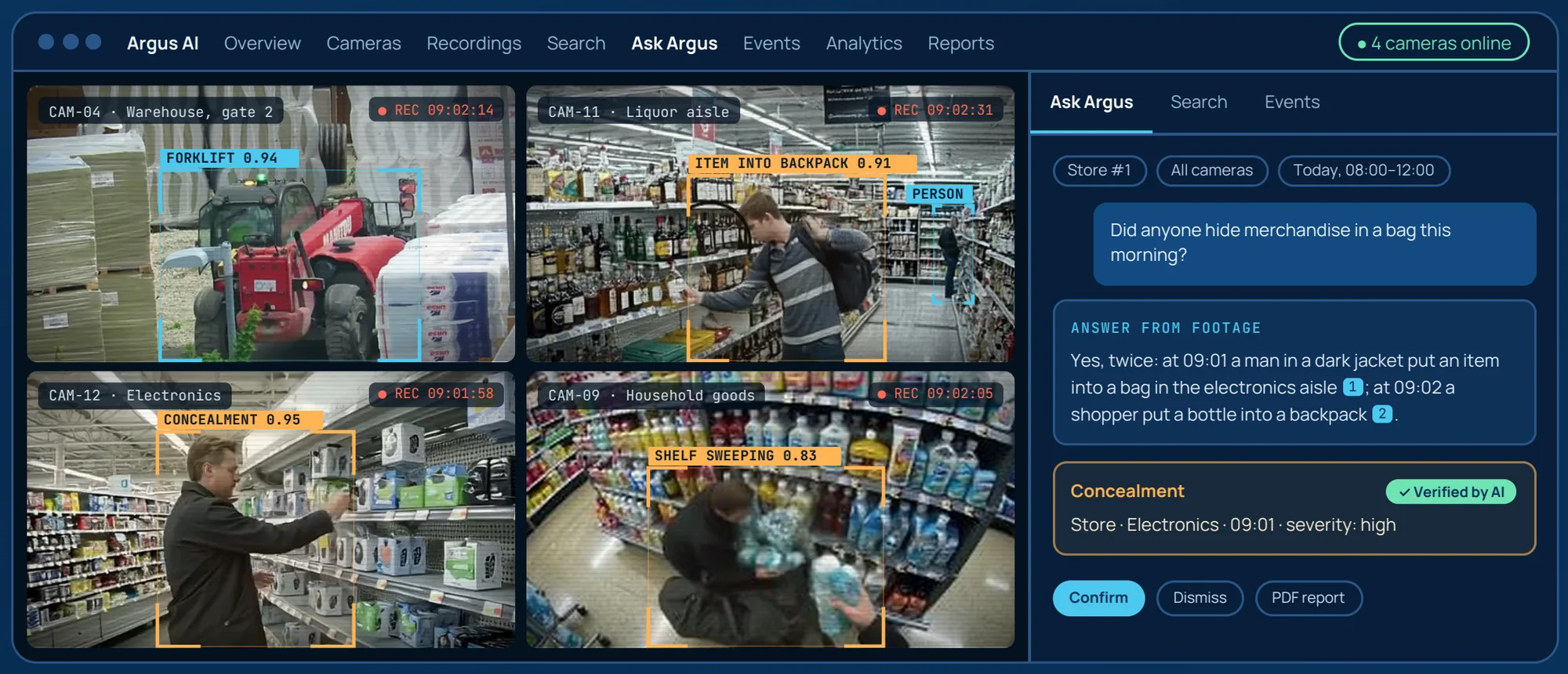
Argus AI connects to your existing IP cameras and recordings. It describes what happens, detects violations by scenario, counts visitors, answers questions about the footage and prepares reports. All AI runs on your own server.
Works with your cameras
Connect IP cameras over RTSP or upload recordings. No new hardware at the cameras.
Video stays on site
Recognition, description and search run on your server. No cloud services are used. Only the notifications you configure go out.
A human makes the call
An AI alert is a prompt for the operator. Confirmations and dismissals are saved and improve the model.
Screens
Inside Argus AI
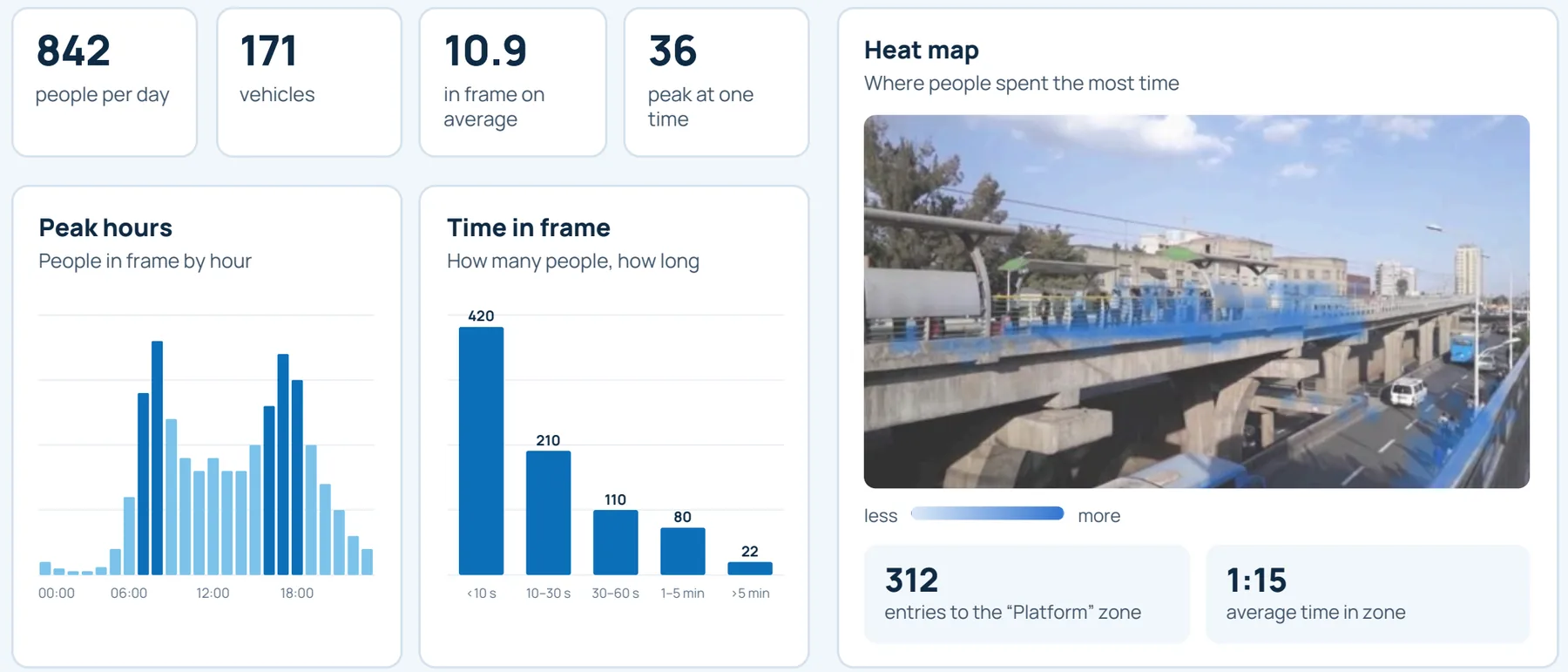
Analytics, an event card, plain-language search and the daily report, on demo recordings.
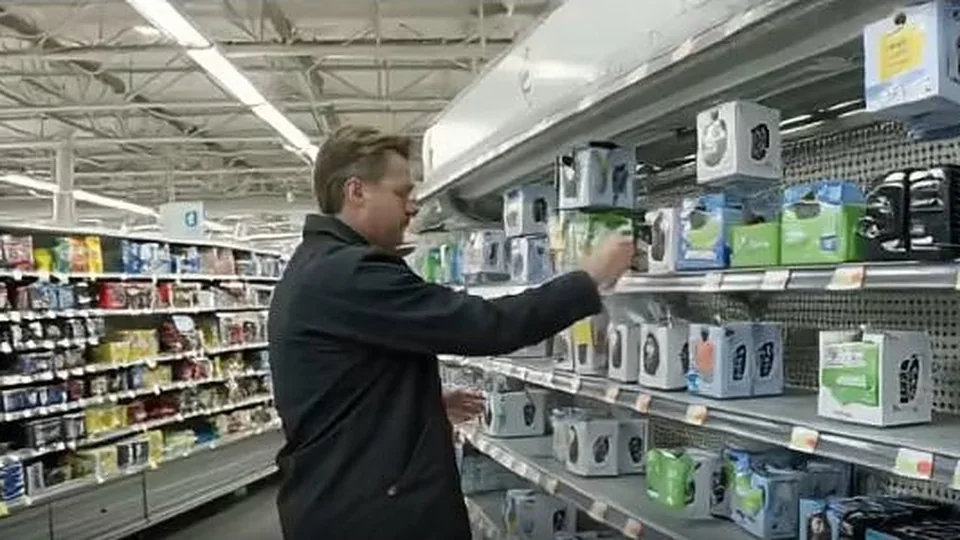 CAM-12 · Electronics · 09:01:58CONCEALMENT 0.95
Confidence: 95%
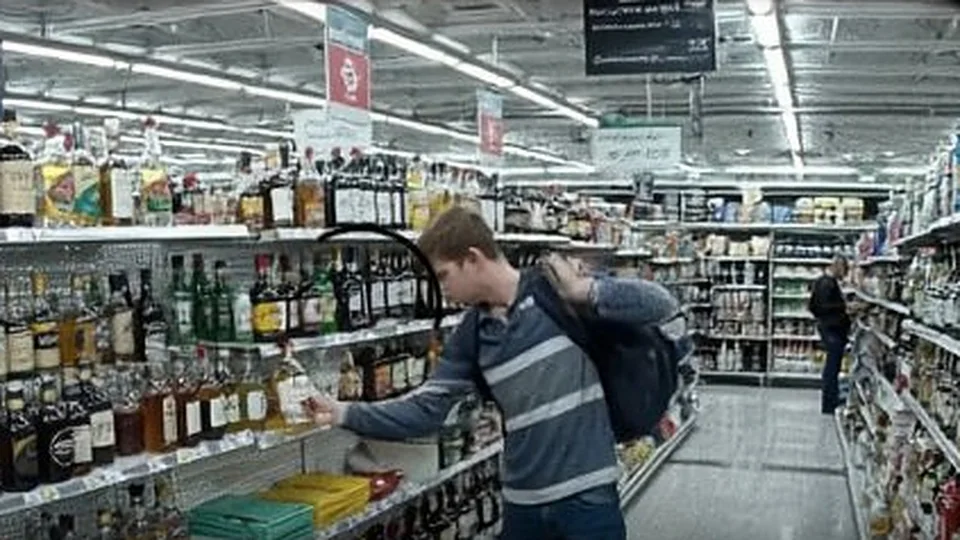
A person in a grey striped shirt with a backpack stands in an aisle stocked with bottles of alcohol.
A person in a black jacket stands in a retail aisle and handles a plastic bag near a shelf.
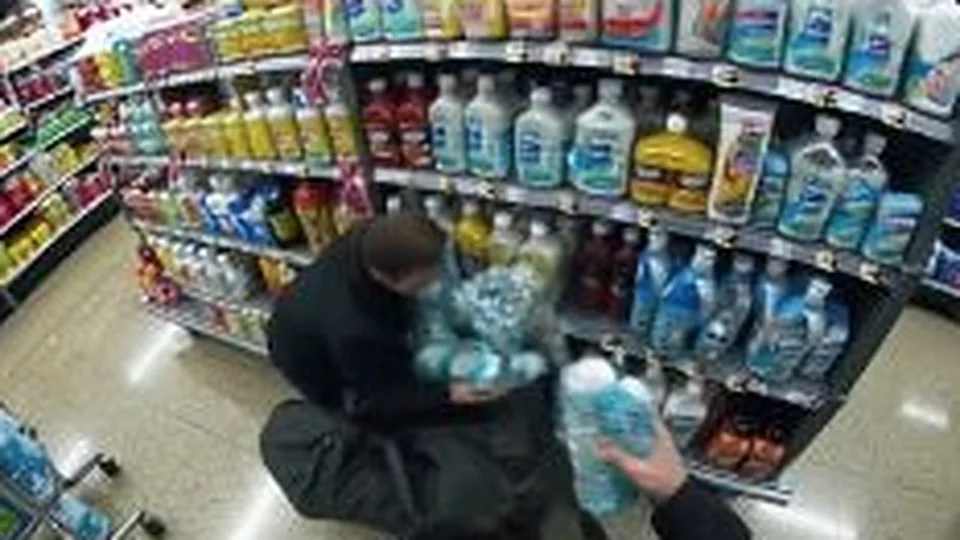
A person crouches in an aisle and quickly removes several bottles of cleaning product from the shelf.
Daily report
- Critical Physical aggression at the checkout: a man in a dark jacket held and pushed another man.
- High Concealment: 6 cases of items put into pockets or personal bags.
- High Leaving without paying: a trolley taken past the checkouts to the exit.
- Low Long queue: more than 8 people at the checkout.
Next shift: increase patrols around checkouts and exits.
Frames from demo recordings; all data is fictional.
01 — Capabilities
A video archive you can ask questions
Every segment of video is described and indexed, so footage can be searched in plain language instead of scrubbed through by hand.
Camera connection
IP cameras over RTSP, stream check, automatic reconnection after a drop, zones drawn on the image.
Video upload
MP4, MOV, MKV, WebM. Multi-gigabyte files with resumable upload.
Plain-language search
“Person hides a bottle in a backpack”, “forklift next to a worker”. Results open the video at the right moment.
Ask Argus
Answers about your footage, every fact linked to a moment in the video. If the footage has no answer, Argus says so.
Scenario alerts
Violations are found by the rules of the selected scenario and double-checked by a second AI model.
Operator review
An event queue: confirm, dismiss or return. Decisions are saved and used for model fine-tuning.
Reports
Per shift, day or week: AI summary, metrics, charts and key frames. Incident reports in PDF.
Notifications
Email, Telegram, WhatsApp, webhook. Severity threshold, quiet hours, repeat cooldown, frame snapshot.
02 — Alert path
From frame to operator in about a minute
Events the second model rejects are never sent, which keeps false alarms out of the operator's queue.
- 01
Recording
The camera stream is split into segments, 60 seconds by default.
- 02
Description
AI describes each segment and adds it to the search index.
- 03
Rules
Scenario events are checked against threshold, zone, schedule and severity.
- 04 · AI
Verification
A second model answers the rule's own question. Rejected events are not sent.
- 05
Operator
Notification with snapshot and explanation, an event card, a human decision.
Analytics
How many people and vehicles
People and vehicles per day, the average number in frame and the peak at one time.
Analytics
When, and for how long
People in frame by hour, and how long they stay: under 10 seconds, a few minutes, longer.
Analytics
Where they spend time
Heat maps over the camera image, entries into a zone and average time in the zone.
The detector finds people, vehicles and bags four times per second and tracks each one over time. Faces and licence plates are not recognised.
03 — Scenarios
Ready-made scenarios for many industries
A scenario tells the AI what the cameras show and which events to look for. Pick one per camera, or have us build one for your site.
Construction and industrial safety
No hard hat or vest, person in a restricted zone, machinery near a person, smoke or fire, falls
Retail loss prevention
Concealment, shelf sweeping, leaving without paying, security tag removal
Store operations
Empty shelves, spills on the floor, long queues, unattended till, open fridge
Perimeter and site security
Intrusion, fence climbing, abandoned object, vehicle in a restricted zone, fights
Warehouse and logistics
Pedestrian in a forklift zone, blocked aisle, fallen load, person climbing racking
Parking
Car in a no-parking spot, wrong-way driving, collision, attempted break-in
Roads and intersections
Accidents, stopped vehicle on the carriageway, pedestrian on the road, congestion, wrong-way traffic
Food production hygiene
No hairnet, handling food without gloves, product on the floor, pests
Aged care and hospital wards
Falls, person on the floor, getting out of bed, wandering unaccompanied, calls for help
Public spaces
Dangerous crowd density, fights, person down, abandoned object, panic running
Tracking measures
Exact thresholds that remove false alarms
- Person in a restricted zoneover 1 s
- Loitering in one placeover 60 s
- Crowd in framemore than 15
- Person near a vehiclewithin ½ height
- Person lying on the floorover 4 s
- Unattended bagover 30 s
Detect mode creates an event from the measurement; confirm mode keeps an AI alert only if the measurement supports it.
Configuration
Your own scenario for your site
- A scenario describes what the cameras see and which events to look for, with precise definitions of what counts and what does not.
- A rule sets the confidence threshold, zone, schedule, severity and whether AI verification is required.
- Measures add exact thresholds: time in zone, distance to a vehicle, number of people. They come pre-configured in the ready-made scenarios.
- Versions of scenarios are kept, with YAML export to move them between sites.
Personal data
Argus describes actions, not people
Actions and movement of people, vehicles and bags as objects
Video, descriptions, events and ±10 s clips
Only notifications to channels set up by the administrator
No face recognition, no licence plate reading, no identification
04 — Security and deployment
Runs inside your own network
The base product is ready to use. On top of it we add features for each customer's needs, without limits.
Local AI
Inference on your server
Vision-language models and the search index run locally. Models are reachable only at local network addresses. Analysis runs faster than real time.
Protection
Access control and audit log
Camera passwords are stored encrypted. Four roles, brute-force login protection. The audit log records sign-ins, searches, views, decisions and settings changes, with CSV export.
Retention
Retention policies
The administrator sets how long video, clips and descriptions are kept. When disk runs low, the oldest video is removed first. Every deletion is logged.
- Site-specific scenariosYour events, zones and definitions
- IntegrationsVMS, access control, service desk, ERP via webhooks and API
- Model fine-tuningOn your footage and operator decisions
- Multiple sitesOne dashboard for a network of locations
- Custom reportsForms and metrics for your procedures
- New channelsCorporate messengers and alerting systems
- Server sizingConfiguration for your number of cameras
- Support and updatesOngoing service after launch
Getting started
Three steps to launch
- 01 · Demo, 30 minutes. We show search, questions, alerts and reports on demo cameras.
- 02 · Pilot on your footage. We confirm recognition quality on video from your site.
- 03 · Launch and setup. We connect cameras, configure scenarios and rules, and train operators.
Who Argus is for
Sites with cameras and rules to follow
- Construction and industry
- Retail chains and malls
- Warehouses and logistics
- Food production
- Restaurants and catering
- Energy and utilities
- Fuel stations and garages
- Parking and roads
- Stations and airports
- Banks and branches
- Hotels and offices
- Residential complexes
- Schools and universities
- Aged care facilities
Request a demo
See Argus on your use case.
We'll agree a time and discuss which scenarios your site needs. The demo can use your own footage.
AI alerts are prompts for the operator; a person makes the decision. Recognition quality is confirmed on the customer's footage before deployment. The customer organisation is responsible for the legal basis for video surveillance and for notifying or obtaining consent from the people being recorded.